Welcome to Corkulous
A visual organization app that turns your ideas into beautiful, interactive corkboards.
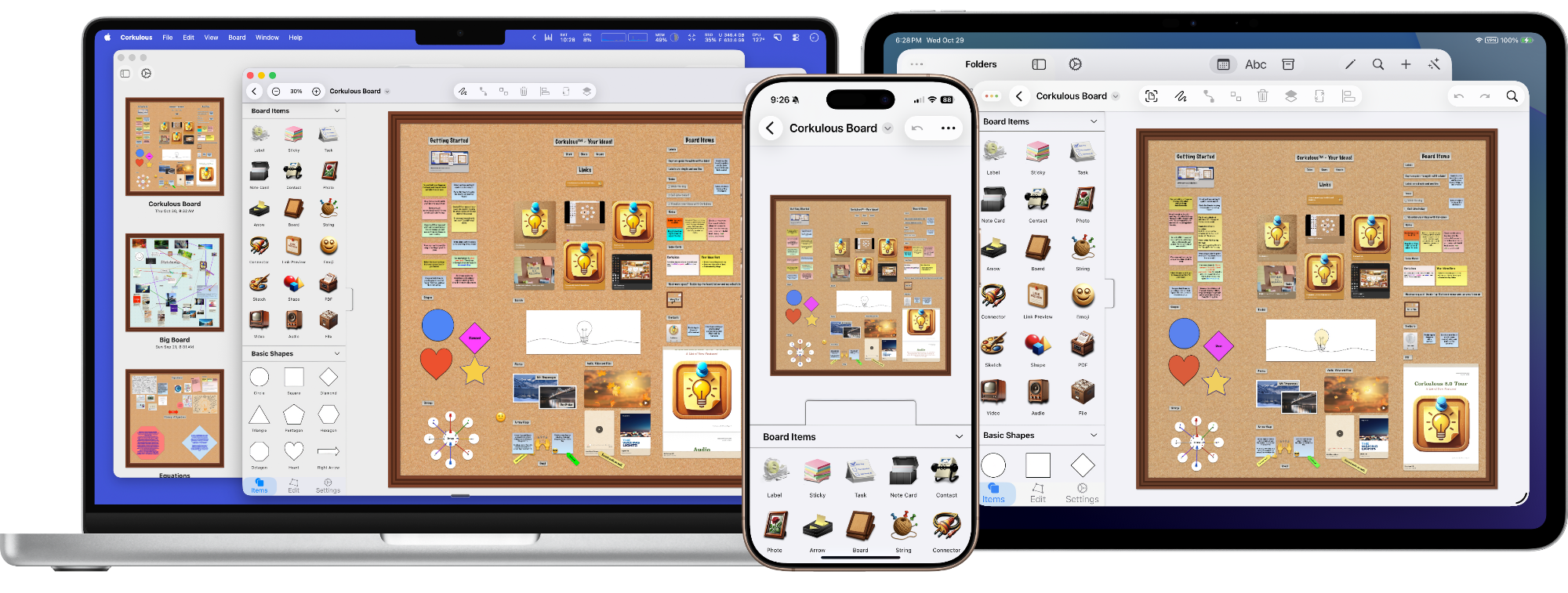
Corkulous is a visual organization app inspired by the classic cork bulletin board. Pin notes, images, videos, and more, then connect them with strings and lines to map relationships and build understanding. Use this page as your map of the documentation — each section groups related guides.
Your First Board
- Create: Open Corkulous and create a blank board, or open an example from the Library in 9.0.
- Add: Add a sticky note, type an idea, and drag it into place. Add another item and connect them.
- Store: Choose Local, iCloud, or Dropbox. If using cloud storage, allow changes to sync before editing on another device.
- Try AI if you want: Compare purchases and AI costs, then start with a small AI board request. Review the result.
- Share and back up: Export a PDF or image to share. Keep a native-board archive for an editable backup with media.
Start Here
- What’s New Since 8.2: See the newest AI, Agent, library, markdown, and media features
- Supported Platforms: Compare Corkulous on Mac, iPad, and iPhone
- Supported Languages: Review language support for Corkulous and AI features
- OS Features: Learn how Corkulous works with Apple platform features
Board Items
Build boards with a variety of item types:
- Add and edit items to a board: Start with the shelf, drawer, copy/paste, and drag-and-drop workflows
- Notes and Cards: Pin labels, sticky notes, tasks, and note cards
- Media: Add photos, videos, audio, PDFs, and other files
- Web and People: Add link previews and contacts
- Drawing and Diagrams: Add sketches, shapes, and arrows
- Visual Details: Add emoji and customize items with styles
- Sub-boards: Nest other boards inside a board for hierarchy and organization
Connections
Link items together to show relationships:
- Strings: Casual connections that look like pinned string on a corkboard
- Lines: Formal connectors with arrows for flowcharts and diagrams
Boards and Customization
Create, organize, and personalize your boards:
- Create a board: Start from a blank board, template, library board, or import
- Manage boards: Rename, duplicate, move, delete, and organize boards
- Use folders and cloud services: Work with local folders, iCloud, and Dropbox
- Change a board’s settings: Choose backgrounds, cork textures, colors, and board preferences
- Position items on a board: Move, resize, align, rotate, arrange, and lock items
- Style text with markdown: Use bold, italic, headings, lists, code, links, and tables
- Sketch on a board: Draw directly on the canvas
- Search for boards and items: Find content across boards
AI Features
Let AI help you create and enhance your boards:
- Credits System: Use Corkulous-hosted AI without bringing your own provider keys
- Generate a Board with AI: Describe what you want and AI creates a complete board with cards, notes, shapes, and connections
- Prompting Best Practices: Write prompts that produce better structured boards
- Prompt Architect Guide: Turn a rough idea into a Corkulous-ready prompt before generating
- Agent: Add items, generate images, create narration, generate music, and research topics with natural-language requests
- AI Image Generation: Create AI images directly on your boards
- AI Audio Generation: Generate spoken summaries and voiceovers
- AI Music Generation: Create original songs and instrumentals
- Advanced AI / Provider Mode: Bring your own provider keys
- Provider Mode setup: Configure API keys, models, web search tools, video generation, tools, workers, and advanced settings
Note: Advanced AI / Provider Mode (bring your own key) is available on Mac and on iPhone and iPad running iOS or iPadOS 26 or later. Earlier iOS and iPadOS versions use Credits mode for AI features.
Export and Share
Share your boards in multiple formats:
- PDF: Professional documents for printing and sharing
- PNG: Images for presentations and social media
- HTML/ZIP: Interactive web pages viewable in any browser
- Web Archive: Single-file Safari format for easy sharing on Apple devices (iPhone, iPad, and the Mac command line tool)
- JSON: Structured data for automation and processing
Sync
- Use folders and cloud services: Store boards locally, in iCloud, or in Dropbox
- Understanding Sync: Learn how Corkulous syncs boards across devices and services
Command Line Tool (Mac)
Manage boards from Terminal:
- List boards and export supported HTML, Web Archive, Markdown, JSON, and Mermaid formats; use scripts for repeated exports
- Generate boards with AI from the command line
Automation
Automate Corkulous with Shortcuts and related actions:
- Shortcut Actions: Use Corkulous actions in Apple’s Shortcuts app
- Board Management Actions: Create, locate, rename, duplicate, move, and delete boards
- Content Item Actions: Add and update board items from automations
- Connection Actions: Create strings and lines between items
- Utility Actions: Use supporting actions for more advanced workflows
Platforms and Reference
- Mac, iPad, and iPhone: See feature availability by platform
- Settings: Configure Corkulous, AI Credits, Provider Mode, and app preferences
- Keyboard shortcuts: Work faster on Mac and iPad with a keyboard
