Settings
Configure subscriptions, AI, Dropbox, passcodes, and app preferences.
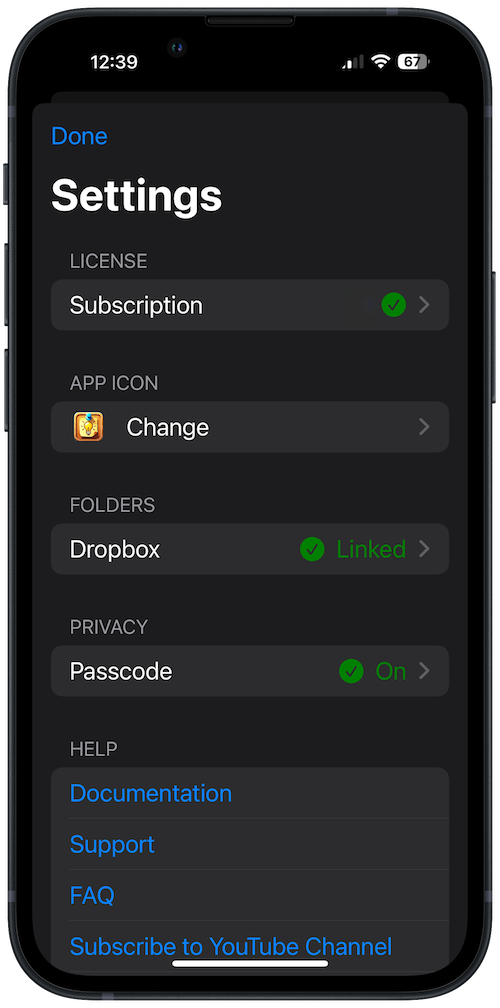
Open Settings from the gear icon on the home screen. From here you configure your license, AI features, Dropbox, passcodes, and app preferences.
License
Choose between monthly, yearly, or lifetime subscriptions, and restore purchases from this screen.
If you subscribed in the app, use your device or Apple Account settings to manage or cancel your subscription.
AI Settings
Configure how Corkulous uses AI for board generation, the Agent, images, audio, and more.
AI Mode
Choose how you want to access AI features:
- Credits: Purchase credits and use AI immediately — no setup required. Best for most users.
- Provider Mode: Available on Mac and on iPhone and iPad running iOS or iPadOS 26 or later. Use your own API keys from providers like OpenAI, Anthropic, Google, xAI, and ElevenLabs for more control and additional features like video and music generation. Video currently uses Google or xAI; music uses ElevenLabs.
Note: On earlier iOS and iPadOS versions, AI uses Credits. Provider Mode needs iOS or iPadOS 26 on iPhone and iPad because long board generations rely on background processing added in those versions.
Credits Settings (Credits Mode)
- Sign In to AI Credits: Sign in with email using a magic link.
- Credit Balance: View your current server-backed credit balance.
- Buy Credits: Open the purchase sheet and buy credit packs through the App Store.
- History: Review credit purchases and balance changes.
- Sign Out: Sign out from the Credits account on the current device.
- Delete Account: Permanently delete your Corkulous Credits account for this app and this email after typing
DELETEto confirm. - Web-Enhanced AI: Enable web search for current information (uses additional credits).
Use Sign Out if you only want to remove the session from the current device. Use Delete Account if you want Corkulous to permanently remove the server-backed Credits account data for this app and this email — including remaining credits, the server-backed wallet and activity history, and account-scoped temporary attachment blobs. Corkulous asks you to type DELETE before it proceeds. Apple subscriptions, billing, and refunds are still managed separately through Apple.
Provider Settings (Provider Mode)
On Mac, provider settings are organized into five tabs:
- General: Choose preferred providers for text, image, audio, video, and web search. Enable or disable individual providers.
- Providers: Enter API keys, test connections, select models, and open each provider card’s nested Defaults and Advanced sections. Defaults stores provider-specific media defaults such as image size, voice, music duration, or video aspect ratio. Advanced handles provider tuning such as reasoning, timeout, and output limits.
- Tools: Configure web search (Brave, Firecrawl, Perplexity, OpenAI), HTTP fetch, bash execution, tool cache, and the Music tool toggle used by the Agent and board generation.
- Workers: Tune multi-agent board generation, including worker intensity, individual media/research agent limits, parallelism, and timeouts.
- Advanced: Configure routing strategy and other global diagnostics. Model tuning now lives inside each provider card.
Note: For media-capable providers, the Defaults section is the only place where saved media defaults are changed. Image, audio, music, and video generation views read those defaults when they open, but changes you make in a generation view apply to that request only — unless you return to Provider Settings and update the provider card.
See AI Features for detailed documentation on using AI in Corkulous.
Icon
Choose your favorite icon for Corkulous. Available on iOS and iPadOS only.
Dropbox
View your connected Dropbox account information or disconnect Dropbox sync.
Passcode
Set up a PIN and enable biometric authentication (Face ID/Touch ID) to protect locked boards.
Important: Board locking controls access inside Corkulous; it does not encrypt the underlying board files or protect copies accessed through exports, backups, or other tools such as the CLI/MCP server. Protect your device and storage permissions separately. Keep your PIN in a secure place. If you forget it, contact support before deleting the app or changing stored data.
Note: iOS 18+ includes app-level protection in Settings, which is separate from Corkulous board locking.
